Help
Device guides
Apple
Watch Series 10

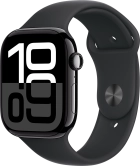
Apple Watch Series 10
f-97e65d25-4966-4b82-93b8-ef302d1dbb5a
f-1cadca11-b442-4f63-aea0-686ebb8e4200
f-7d564155-d586-44f5-86c6-5fb4e0454fcd
f-d82b6dd3-9776-4aca-b0c8-b4ac188f8bab
f-96b4d8b6-5304-4cf3-81aa-6f5584e939c3
f-0f7fbe03-d948-4e20-85a3-252f839e23bd
f-a698d9a8-64d7-4df2-b966-0e5c0d229fa0
  • Device home
  • Getting started
  • Basic functions
  • Calls, contacts, messaging
  • Connectivity
  • Specifications
  • Device home
  • Getting started
  • Basic functions
  • Calls, contacts, messaging
  • Connectivity
  • Specifications

I can't charge my Apple Watch

Solution 4 of 6: There's a problem with the charger


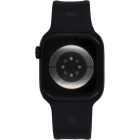
If dirt has accumulated on the back of your Apple Watch or on the magnetic charger, or if the charging cable is not fully pressed into the USB adapter, it may prevent the battery from charging.

Make sure there's no dirt or dust on the back of your Apple Watch or on the magnetic charger. Then check that the charging cable is fully pressed into the power adapter and that the the wall socket is turned on. If this doesn't help, try connecting the charging cable to another power adapter and another wall socket.


Did this solve your problem?

Yes No

Get information on...

Or choose...

Show more