Help
Device guides
Apple
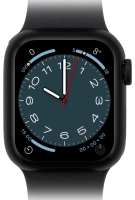
Watch Series 8

Apple Watch Series 8
f-416d6cd6-733a-4ff8-b848-009c669ac42f
f-a4d946bb-cd58-4520-8c82-4697ba68e7c9
f-01560a31-3dff-4568-be32-064770a0e8f8
f-2d4607ec-b95e-46b3-af0d-592bcec7d718
f-fec948dd-ae58-4f3a-aac0-550e5799983c
  • Device home
  • Getting started
  • Basic functions
  • Calls, contacts, messaging
  • Connectivity
  • Specifications
  • Device home
  • Getting started
  • Basic functions
  • Calls, contacts, messaging
  • Connectivity
  • Specifications

I can't use mobile data on my Apple Watch

Solution 1 of 4: Your Apple Watch isn't correctly set up for mobile data.

You can set up mobile data on your Apple Watch allowing you to make and receive calls and use apps without being connected to your phone. To set up mobile data on your Apple Watch, you need an EE pay monthly or SIM Only price plan.

On your phone: Press Watch.
Step 1 of 4

On your phone: Press Watch.

On your phone: Press My Watch.
Step 2 of 4

On your phone: Press My Watch.

On your phone: Press Mobile Data.
Step 3 of 4

On your phone: Press Mobile Data.

On your phone: Press Set Up Mobile Service and follow the instructions on the screen to set up mobile data.
Step 4 of 4

On your phone: Press Set Up Mobile Service and follow the instructions on the screen to set up mobile data.


Did this solve your problem?

Yes No

Get information on...

Or choose...

Show more