Help
Device guides
Apple
Watch Series 9

Apple Watch Series 9
f-244f4df2-065b-4470-9cb8-c337b7e4cbad
f-ccd54f7e-454b-4fb8-8387-fdbea363ecf3
f-e298c507-88dc-4300-9c0d-da2d15f245df
f-ecbbb3dc-5355-4aff-aea8-fdb5a4082688
f-e78d5d02-f6d9-40e5-9b75-bbb8c8d5249a
  • Device home
  • Getting started
  • Basic functions
  • Calls, contacts, messaging
  • Connectivity
  • Specifications
  • Device home
  • Getting started
  • Basic functions
  • Calls, contacts, messaging
  • Connectivity
  • Specifications

No message tone is heard on incoming messages

Solution 1 of 2: Do Not Disturb is turned on

If you don't want to be disturbed by calls or notifications, you can turn on Do Not Disturb on your Apple Watch.
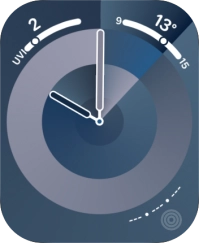
Press the Side button.
Step 1 of 3

Press the Side button.

Press the Do Not Disturb icon to turn the function on or off.
Step 2 of 3

Press the Do Not Disturb icon to turn the function on or off.

Press the Side button to return to the home screen.
Step 3 of 3

Press the Side button to return to the home screen.


Did this solve your problem?

Yes No

Get information on...

Or choose...

Show more