Help
Device guides
Apple
Watch Series 9

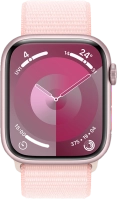
Apple Watch Series 9

f-244f4df2-065b-4470-9cb8-c337b7e4cbad
f-ccd54f7e-454b-4fb8-8387-fdbea363ecf3
f-e298c507-88dc-4300-9c0d-da2d15f245df
f-ecbbb3dc-5355-4aff-aea8-fdb5a4082688
f-e78d5d02-f6d9-40e5-9b75-bbb8c8d5249a
  • Device home
  • Getting started
  • Basic functions
  • Calls, contacts, messaging
  • Connectivity
  • Specifications
  • Device home
  • Getting started
  • Basic functions
  • Calls, contacts, messaging
  • Connectivity
  • Specifications

No ring tone is heard on incoming calls

Solution 1 of 2: Silent mode is turned on

When silent mode is turned on, all Apple Watch sounds are turned off.
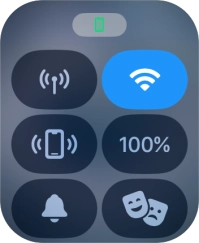
Press the Side button.
Step 1 of 3

Press the Side button.

Press the sound mode icon to turn silent mode on or off.
Step 2 of 3

Press the sound mode icon to turn silent mode on or off.

Press the Digital Crown to return to the home screen.
Step 3 of 3

Press the Digital Crown to return to the home screen.


Did this solve your problem?

Yes No

Get information on...

Or choose...

Show more