Help
Device guides
Apple
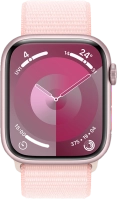
Watch Series 9

Apple Watch Series 9
f-244f4df2-065b-4470-9cb8-c337b7e4cbad
f-ccd54f7e-454b-4fb8-8387-fdbea363ecf3
f-e298c507-88dc-4300-9c0d-da2d15f245df
f-ecbbb3dc-5355-4aff-aea8-fdb5a4082688
f-e78d5d02-f6d9-40e5-9b75-bbb8c8d5249a
  • Device home
  • Getting started
  • Basic functions
  • Calls, contacts, messaging
  • Connectivity
  • Specifications
  • Device home
  • Getting started
  • Basic functions
  • Calls, contacts, messaging
  • Connectivity
  • Specifications

I can't receive any calls

Solution 2 of 6: Divert of all calls is turned on


If all calls are diverted, you won't be able to receive any calls on your Apple Watch.

Cancel all diverts on the paired phone.


Did this solve your problem?

Yes No

Get information on...

Or choose...

Show more