Help
Device guides
Apple
Watch Series 9

Apple Watch Series 9
f-244f4df2-065b-4470-9cb8-c337b7e4cbad
f-ccd54f7e-454b-4fb8-8387-fdbea363ecf3
f-e298c507-88dc-4300-9c0d-da2d15f245df
f-ecbbb3dc-5355-4aff-aea8-fdb5a4082688
f-e78d5d02-f6d9-40e5-9b75-bbb8c8d5249a
  • Device home
  • Getting started
  • Basic functions
  • Calls, contacts, messaging
  • Connectivity
  • Specifications
  • Device home
  • Getting started
  • Basic functions
  • Calls, contacts, messaging
  • Connectivity
  • Specifications

I can't send and receive email messages

Solution 1 of 4: The email message isn't written correctly

You can receive email messages from your email accounts on your Apple Watch.
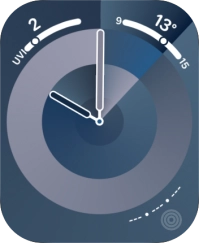
Press the Digital Crown.
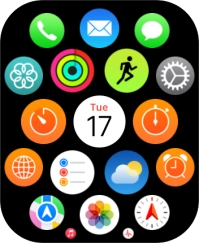
Step 1 of 17

Press the Digital Crown.

Press the email icon.
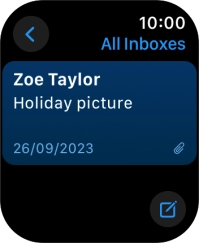
Step 2 of 17

Press the email icon.

Press arrow left.
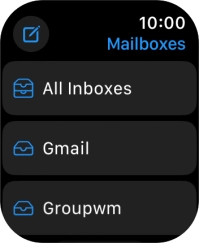
Press arrow left.
Step 3 of 17

Press arrow left.

Press the required email account.
Step 4 of 17

Press the required email account.

Press the required email message.
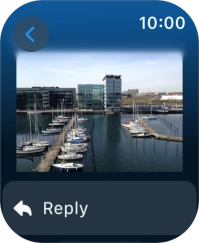
Step 5 of 17

Press the required email message.

Press Reply.
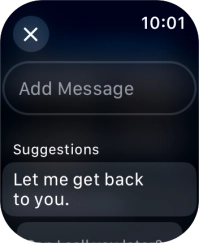
Press Reply.
Step 6 of 17

Press Reply.

Press Add Message.
Press Add Message.
Step 7 of 17

Press Add Message.

Press the microphone icon and record the message.
Step 8 of 17

Press the microphone icon and record the message.

Press Done.
Press Done.
Step 9 of 17

Press Done.

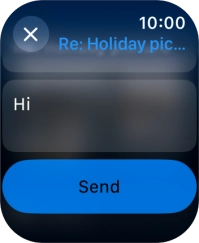
Press Send.
Press Send.
Step 10 of 17

Press Send.

Press Reply.
Press Reply.
Step 11 of 17

Press Reply.

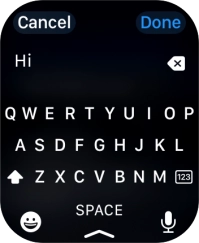
Press Add Message and key in the required text.
Step 12 of 17

Press Add Message and key in the required text.

Press Done.
Press Done.
Step 13 of 17

Press Done.

Press Send.
Press Send.
Step 14 of 17

Press Send.

Press Reply.
Press Reply.
Step 15 of 17

Press Reply.

Press the required quick reply.
Step 16 of 17

Press the required quick reply.

Press the Digital Crown twice to return to the home screen.
Step 17 of 17

Press the Digital Crown twice to return to the home screen.


Did this solve your problem?

Yes No

Get information on...

Or choose...

Show more