Help
Device guides
Apple
Watch Ultra 2

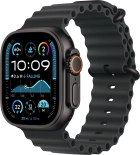
Apple Watch Ultra 2

f-bb8f8e43-2db9-4385-8c04-4c0b6235f945
f-0618d4aa-d1f1-4013-873e-f99c6b2276fa
f-749fabae-4145-4b93-aa1f-2b298d66713c
f-5a2b8a26-9c18-4440-b271-abfd513e4e35
f-82afd4be-d9cf-4c21-91ec-becc699a7cfd
f-4c2c5f59-ff0d-476f-9cc4-374a79b02b8c
f-55fe36a1-5de9-4625-aabd-dcfa4779fc9f
  • Device home
  • Getting started
  • Basic functions
  • Calls, contacts, messaging
  • Connectivity
  • Specifications
  • Device home
  • Getting started
  • Basic functions
  • Calls, contacts, messaging
  • Connectivity
  • Specifications

My Apple Watch doesn't register my activity

Solution 1 of 3: Your Apple Watch is too loose on your wrist


If your Apple Watch is too loose on your wrist, some of the watch sensors will not function correctly.

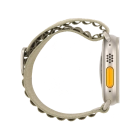
Adjust the watch strap so that your Apple Watch is neither too loose nor too tight on your wrist.


Did this solve your problem?

Yes No

Get information on...

Or choose...

Show more