Help
Device guides
Apple
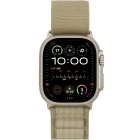
Watch Ultra 2

Apple Watch Ultra 2

f-bb8f8e43-2db9-4385-8c04-4c0b6235f945
f-0618d4aa-d1f1-4013-873e-f99c6b2276fa
f-749fabae-4145-4b93-aa1f-2b298d66713c
f-5a2b8a26-9c18-4440-b271-abfd513e4e35
f-82afd4be-d9cf-4c21-91ec-becc699a7cfd
f-4c2c5f59-ff0d-476f-9cc4-374a79b02b8c
f-55fe36a1-5de9-4625-aabd-dcfa4779fc9f
  • Device home
  • Getting started
  • Basic functions
  • Calls, contacts, messaging
  • Connectivity
  • Specifications
  • Device home
  • Getting started
  • Basic functions
  • Calls, contacts, messaging
  • Connectivity
  • Specifications

I can't activate my Apple Watch

Solution 2 of 3: Not adequate network coverage


The network coverage may differ from area to area. In certain areas it may be so low that it's not possible to activate your Apple Watch.

Try activating your Apple Watch later when you're in an area with better network coverage. View our network coverage map.


Did this solve your problem?

Yes No

Get information on...

Or choose...

Show more