Help
Device guides
Apple
Watch Ultra

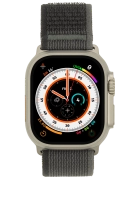
Apple Watch Ultra

f-d8722c0b-7ee7-4b76-97fb-275b78bd26d5
f-8c3adf3e-d67a-4903-93b8-7d1cfafd7101
f-fce89a86-ad63-4d84-ab34-6483eb956bce
f-1b7e92b7-deeb-44e5-b661-c7df36ae123e
f-7faf2779-ae61-4d39-afb9-0c31857bda9e
  • Device home
  • Getting started
  • Basic functions
  • Calls, contacts, messaging
  • Connectivity
  • Specifications
  • Device home
  • Getting started
  • Basic functions
  • Calls, contacts, messaging
  • Connectivity
  • Specifications

I can't play music

Solution 4 of 6: The audio file is damaged


The audio file may be damaged which means that it can't be played. It may help to delete it and transfer it to your phone again.

Delete the damaged audio files and transfer the files from your phone to your Apple Watch again.


Did this solve your problem?

Yes No

Get information on...

Or choose...

Show more