Help
Device guides
Apple
Watch Ultra

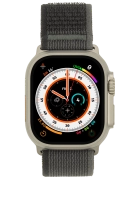
Apple Watch Ultra

f-d8722c0b-7ee7-4b76-97fb-275b78bd26d5
f-8c3adf3e-d67a-4903-93b8-7d1cfafd7101
f-fce89a86-ad63-4d84-ab34-6483eb956bce
f-1b7e92b7-deeb-44e5-b661-c7df36ae123e
f-7faf2779-ae61-4d39-afb9-0c31857bda9e
  • Device home
  • Getting started
  • Basic functions
  • Calls, contacts, messaging
  • Connectivity
  • Specifications
  • Device home
  • Getting started
  • Basic functions
  • Calls, contacts, messaging
  • Connectivity
  • Specifications

I can't use GPS navigation

Solution 1 of 2: There's not adequate GPS signal


The first time your Apple Watch is to find a GPS signal on a new location, it may take several minutes. Urban agglomeration or forests may interfere with the GPS signal.

Go to a place with a clear view of the sky and wait a few minutes while your phone searches for a GPS signal.


Did this solve your problem?

Yes No

Get information on...

Or choose...

Show more