Help
Device guides
Google
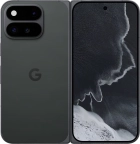
Pixel 11 Pro Fold

Google Pixel 11 Pro Fold
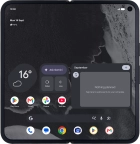
f-a30feb10-a45c-49eb-abcc-48df61503a3f
f-f9282070-2462-4fc4-9850-953359622042
f-ff545d94-b240-4aaa-a910-94601538b5ed
f-0f90c937-2322-487a-832c-182ab29f1b69
f-855ccdc9-44af-45bb-a03c-d7526e55354a
f-02bb0a1a-d654-44b5-a04d-3da7e5fcebf0
f-86b3d182-aca4-4a5f-ab03-8829ec6e41dd
f-4f8e1fc3-434a-4493-a817-227edd227a6e
  • Device home
  • Getting started
  • Basic functions
  • Calls, contacts, messaging
  • Connectivity
  • Specifications
  • Device home
  • Getting started
  • Basic functions
  • Calls, contacts, messaging
  • Connectivity
  • Specifications

Troubleshooting

  • It's not possible to receive messages on my voicemail
  • It's not possible to check my voicemail
  • It's not possible to send and receive text messages
  • It's not possible to send and receive picture messages
  • It's not possible to send and receive email messages
  • It's not possible to use Wi-Fi calling
  • It's not possible to make voice calls
  • It's not possible to receive voice calls

Call settings

  • Turning call waiting on or off
  • Turning your own caller identification on or off
  • Turning Wi-Fi calling on or off

Voicemail

  • Saving voicemail number
  • Diverting calls to voicemail
  • Cancelling all diverts

Call restrictions

  • Turning fixed dialling on or off

Text messaging

  • Setting up your phone for text messaging

Picture messaging

  • Setting up your phone for picture messaging

Email messaging

  • Setting up your phone for IMAP email

Get information on...

Or choose...

Show more