Help
Device guides
Google
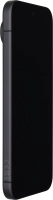
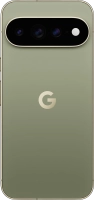
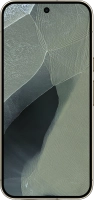
Pixel 11 Pro XL

Google Pixel 11 Pro XL
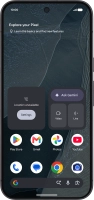
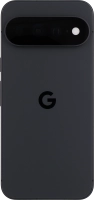
f-00c5596a-a740-4040-aad7-7e3024719680
f-d4dea801-10ee-46e3-84b7-73d2b8ff1155
f-dc8214a8-ca35-4704-bd6d-94a0fd10f38d
f-2093f781-66f3-46f5-8c65-6be98b6f008a
f-31fa4fbc-2ddc-4320-8722-9d4c4a41baa9
f-5d6035da-8867-4b62-b4fa-394062fe2fc2
f-9b7a7ac6-a7fe-41a4-8cf1-cf9e273d56c5
f-ee7335b7-32fb-4564-8375-29eadee85fbb
  • Device home
  • Getting started
  • Basic functions
  • Calls, contacts, messaging
  • Connectivity
  • Specifications
  • Device home
  • Getting started
  • Basic functions
  • Calls, contacts, messaging
  • Connectivity
  • Specifications

Troubleshooting

  • It's not possible to receive messages on my voicemail
  • It's not possible to check my voicemail
  • It's not possible to send and receive text messages
  • It's not possible to send and receive picture messages
  • It's not possible to send and receive email messages
  • It's not possible to use Wi-Fi calling
  • It's not possible to make voice calls
  • It's not possible to receive voice calls

Call settings

  • Turning call waiting on or off
  • Turning your own caller identification on or off
  • Turning Wi-Fi calling on or off

Voicemail

  • Saving voicemail number
  • Diverting calls to voicemail
  • Cancelling all diverts

Call restrictions

  • Turning fixed dialling on or off

Text messaging

  • Setting up your phone for text messaging

Picture messaging

  • Setting up your phone for picture messaging

Email messaging

  • Setting up your phone for IMAP email

Get information on...

Or choose...

Show more