







Help
Device guides
Apple
iPhone 18 Pro Max

iPhone 18 Pro Max

f-fc865c10-0256-4bcf-b117-2245fec39123
f-98e414ec-4119-4010-84a9-d03d974c8274
f-00a60af5-a8a8-4293-8f08-301d87a2419c
f-fc0e9bb7-1ae2-4db9-a228-dc564e1f38ca
f-348f0be3-3d20-4d45-8dec-1c654670e506
f-3bc0156b-328c-4aa2-a141-b256ed4229f5
f-dfc9aa71-bba7-4680-9bbe-c8ea4bd7b1de
f-a890513d-6f6b-4343-9878-15ea66057110
  • Device home
  • Getting started
  • Basic functions
  • Calls, contacts, messaging
  • Connectivity
  • Specifications
  • Device home
  • Getting started
  • Basic functions
  • Calls, contacts, messaging
  • Connectivity
  • Specifications

Restarting your phone

If your phone is slow or freezes, it might help to restart it.
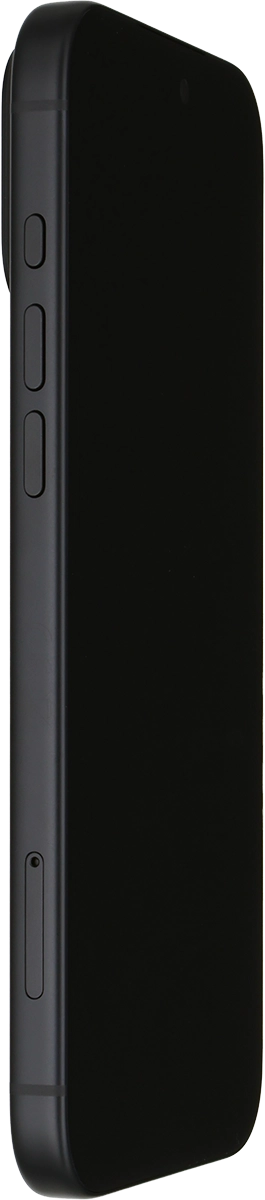
Press the Top volume key.
Step 1 of 3

Press the Top volume key.

Press the Bottom volume key.
Step 2 of 3

Press the Bottom volume key.
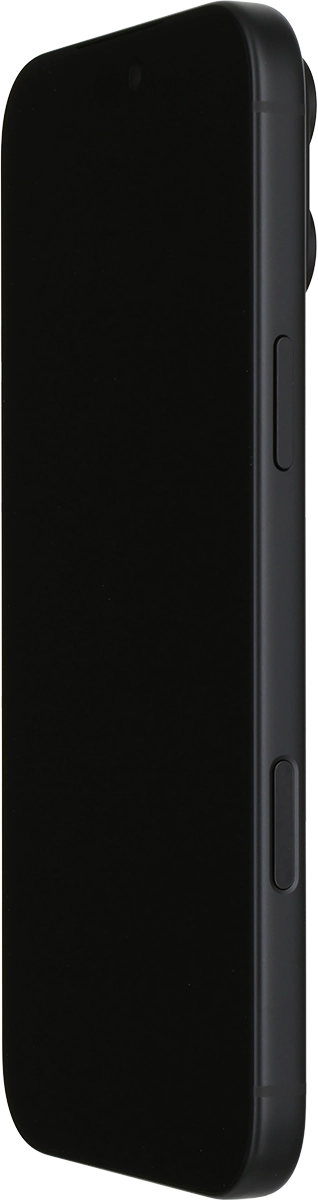
Press and hold the Side button until your phone restarts.
Step 3 of 3

Press and hold the Side button until your phone restarts.

Get information on...

Or choose...

Show more