

Help
Device guides
Apple
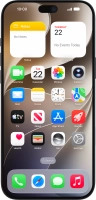
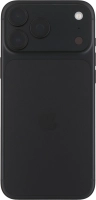
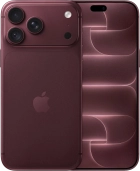
iPhone 18 Pro Max

iPhone 18 Pro Max

f-fc865c10-0256-4bcf-b117-2245fec39123
f-98e414ec-4119-4010-84a9-d03d974c8274
f-00a60af5-a8a8-4293-8f08-301d87a2419c
f-fc0e9bb7-1ae2-4db9-a228-dc564e1f38ca
f-348f0be3-3d20-4d45-8dec-1c654670e506
f-3bc0156b-328c-4aa2-a141-b256ed4229f5
f-dfc9aa71-bba7-4680-9bbe-c8ea4bd7b1de
f-a890513d-6f6b-4343-9878-15ea66057110
  • Device home
  • Getting started
  • Basic functions
  • Calls, contacts, messaging
  • Connectivity
  • Specifications
  • Device home
  • Getting started
  • Basic functions
  • Calls, contacts, messaging
  • Connectivity
  • Specifications

Troubleshooting

  • I can't receive voice messages on my voicemail
  • I can't check my voicemail
  • I can't send and receive text messages
  • I can't send and receive picture messages
  • I can't send and receive email messages
  • I can't send and receive iMessages
  • It's not possible to use Wi-Fi calling
  • It's not possible to use my Visual Voicemail
  • I can't make voice calls
  • I can't receive any calls

Call settings

  • Turning call waiting on or off
  • Turning your own caller identification on or off
  • Using Do Not Disturb
  • Turning Wi-Fi calling on or off
  • Selecting FaceTime settings
  • Turning on Crash Detection

Voicemail

  • Diverting calls to voicemail
  • Cancelling all diverts

Visual Voicemail

  • Turning on Visual Voicemail
  • Using Visual Voicemail

iMessages

  • Setting up your phone for iMessaging

Text messaging

  • Setting up your phone for text messaging

Picture messaging

  • Setting up your phone for picture messaging

Email messaging

  • Setting up your phone for IMAP email

Get information on...

Or choose...

Show more