






Help
Device guides
Apple
iPhone Duo

iPhone Duo

f-7d421a93-ccff-45d2-be78-bf5fd60a0d8a
f-8c3fda19-43c6-4505-a1ac-8011cd5b31f6
f-f1dec2bb-f661-4e45-8aca-dadf88c6d073
f-9d6638b7-f65f-42ec-8fb4-7e87c1397718
f-6e073410-12a4-4b6b-a345-ed93ec9c358b
f-1e1a8456-948a-4380-84d7-f785826a37a9
f-e73a41ff-ec10-49b6-aca9-dde61822f7d9
f-ee82dc6e-c72e-41eb-9846-382dbab57477
  • Device home
  • Getting started
  • Basic functions
  • Calls, contacts, messaging
  • Connectivity
  • Specifications
  • Device home
  • Getting started
  • Basic functions
  • Calls, contacts, messaging
  • Connectivity
  • Specifications

Restarting your phone

If your phone is slow or freezes, it might help to restart it.
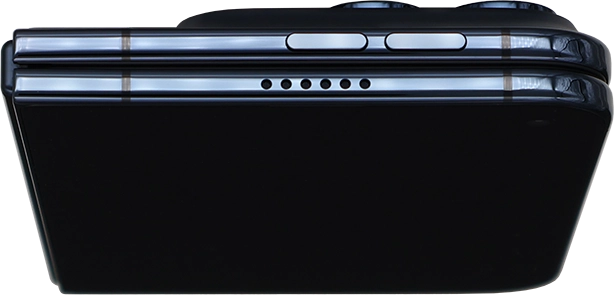
Press the Top volume key.
Step 1 of 3

Press the Top volume key.

Press the Bottom volume key.
Step 2 of 3

Press the Bottom volume key.
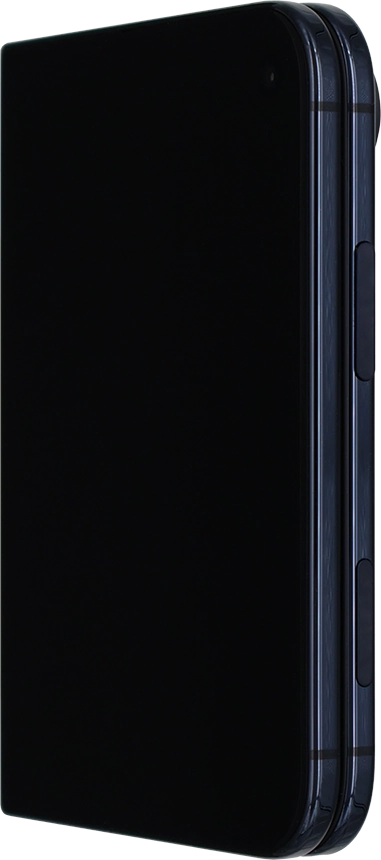
Press and hold the Side button until your phone restarts.
Step 3 of 3

Press and hold the Side button until your phone restarts.

Get information on...

Or choose...

Show more