



Help
Device guides
Apple
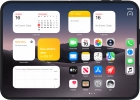
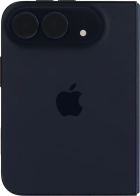
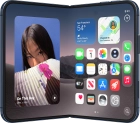
iPhone Duo

iPhone Duo

f-7d421a93-ccff-45d2-be78-bf5fd60a0d8a
f-8c3fda19-43c6-4505-a1ac-8011cd5b31f6
f-f1dec2bb-f661-4e45-8aca-dadf88c6d073
f-9d6638b7-f65f-42ec-8fb4-7e87c1397718
f-6e073410-12a4-4b6b-a345-ed93ec9c358b
f-1e1a8456-948a-4380-84d7-f785826a37a9
f-e73a41ff-ec10-49b6-aca9-dde61822f7d9
f-ee82dc6e-c72e-41eb-9846-382dbab57477
  • Device home
  • Getting started
  • Basic functions
  • Calls, contacts, messaging
  • Connectivity
  • Specifications
  • Device home
  • Getting started
  • Basic functions
  • Calls, contacts, messaging
  • Connectivity
  • Specifications

Troubleshooting

  • My phone's battery life is short

Battery

  • Extending the battery life
  • Turning optimised battery charging on or off

Sound and screen settings

  • Turning silent mode on or off
  • Setting date and time
  • Using notifications
  • Using Dark Mode
  • Using widgets
  • Selecting lock screen settings
  • Personalising your phone's home screen

Security codes

  • Turning use of PIN on or off
  • Turning use of phone lock code on or off
  • Using Touch ID

Apps

  • Installing apps from App Store
  • Using music player
  • Turning automatic update of apps on or off
  • Turning automatic synchronisation of apps and app content on or off
  • Turning Offload Unused Apps on or off
  • Selecting settings for background refresh of apps
  • Using App Library
  • Turning tracking request for downloaded apps on or off
  • Using recording of app activity
  • Turning Communication Safety on or off
  • Turning Sensitive Content Warning on or off
  • Locking or hiding an app

Software update

  • Updating phone software
  • Restoring factory default settings
  • Backing up phone memory to iCloud

Get information on...

Or choose...

Show more