


Help
Device guides
Apple
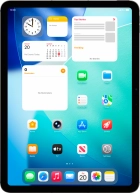
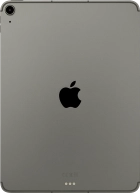
iPad Air 11” (2026)

iPad Air 11” (2026)

f-70267b34-1f34-4ed1-ac0d-f347589180af
f-d8bd1116-7c1f-416d-8b8f-441db72da0a4
f-db2a39e9-45cc-4336-8d3a-fc36aa503d33
f-6a8ecc2f-9849-4790-b6b3-86c4c70e57f0
f-1fbe075f-0812-41cb-9b0e-4127bdc75945
f-cfd8638b-acb4-4594-ab96-b761d2d44342
  • Device home
  • Getting started
  • Basic functions
  • Contacts and messages
  • Connectivity
  • Specifications
  • Device home
  • Getting started
  • Basic functions
  • Contacts and messages
  • Connectivity
  • Specifications

Troubleshooting

  • My tablet's battery life is short

Battery

  • Extending the battery life

Sound and screen settings

  • Turning silent mode on or off
  • Setting date and time
  • Using notifications
  • Using Do Not Disturb
  • Using Dark Mode
  • Using widgets
  • Selecting lock screen settings
  • Personalising your tablet's home screen

Security codes

  • Turning use of lock code on or off
  • Using Touch ID

Apps

  • Installing apps from App Store
  • Using music player
  • Turning automatic update of apps on or off
  • Turning automatic synchronisation of apps and app content on or off
  • Turning Offload Unused Apps on or off
  • Selecting settings for background refresh of apps
  • Turning tracking request for downloaded apps on or off
  • Using recording of app activity
  • Using App Library
  • Turning Communication Safety on or off
  • Turning Sensitive Content Warning on or off
  • Locking or hiding an app

Software update

  • Updating tablet software
  • Restoring factory default settings
  • Backing up tablet memory to iCloud

Get information on...

Or choose...

Show more