
Help
Device guides
Apple
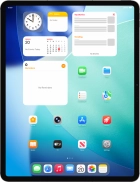
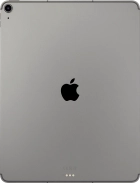
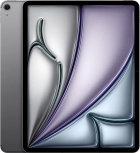
iPad Air 13" (2026)

iPad Air 13" (2026)

f-c54c2a15-2ce6-483f-8e16-ebea11b39594
f-c7645352-eb5f-4334-b47e-fe6e3ce04a73
f-166bc992-aafd-460b-b6da-add08b2cf668
f-fe5dc29e-c45d-4412-bf47-a3e7f00bf533
f-ae3b509d-dcf8-4340-9de7-1f4e293b3387
f-b51a8ec7-b5c0-47de-a056-cabfb761a92f
f-b35ff7d8-31c4-4ffe-adb7-3356a7a51feb
f-908cf568-25a5-47a8-8253-d0f20f718c19
  • Device home
  • Getting started
  • Basic functions
  • Contacts and messages
  • Connectivity
  • Specifications
  • Device home
  • Getting started
  • Basic functions
  • Contacts and messages
  • Connectivity
  • Specifications

Troubleshooting

  • My tablet's battery life is short

Battery

  • Extending the battery life

Sound and screen settings

  • Turning silent mode on or off
  • Setting date and time
  • Using notifications
  • Using Do Not Disturb
  • Using Dark Mode
  • Using widgets
  • Selecting lock screen settings
  • Personalising your tablet's home screen

Security codes

  • Turning use of lock code on or off
  • Using Touch ID

Apps

  • Installing apps from App Store
  • Using music player
  • Turning automatic update of apps on or off
  • Turning automatic synchronisation of apps and app content on or off
  • Turning Offload Unused Apps on or off
  • Selecting settings for background refresh of apps
  • Turning tracking request for downloaded apps on or off
  • Using recording of app activity
  • Using App Library
  • Turning Communication Safety on or off
  • Turning Sensitive Content Warning on or off
  • Locking or hiding an app

Software update

  • Updating tablet software
  • Restoring factory default settings
  • Backing up tablet memory to iCloud

Get information on...

Or choose...

Show more