



Help
Device guides
Apple
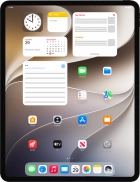
iPad Pro 13 (2025)

iPad Pro 13 (2025)

f-ec7fce1b-6e50-4e7c-833e-99b63ac266be
f-f21809a5-5068-49a0-8d1c-d0628b869ca0
f-ded4e2d9-3620-402e-8724-ca67991c86df
f-7b0f47dc-797c-4ac8-b416-fcaa9ded197b
f-58dc76d0-9a20-486c-91d6-0887b98bc349
f-1d08356e-03cd-4c6c-8e84-fbf70ede4647
  • Device home
  • Getting started
  • Basic functions
  • Contacts and messages
  • Connectivity
  • Specifications
  • Device home
  • Getting started
  • Basic functions
  • Contacts and messages
  • Connectivity
  • Specifications

Sound and screen settings

  • Turning silent mode on or off
  • Setting date and time
  • Using notifications
  • Using Do Not Disturb
  • Using Dark Mode
  • Using widgets
  • Selecting lock screen settings
  • Personalising your tablet's home screen

Security codes

  • Turning use of lock code on or off
  • Using Face ID

Apps

  • Installing apps from App Store
  • Using music player
  • Turning automatic update of apps on or off
  • Turning automatic synchronisation of apps and app content on or off
  • Turning Offload Unused Apps on or off
  • Selecting settings for background refresh of apps
  • Turning tracking request for downloaded apps on or off
  • Using recording of app activity
  • Using App Library
  • Turning Communication Safety on or off
  • Turning Sensitive Content Warning on or off
  • Locking or hiding an app

Software update

  • Updating tablet software
  • Restoring factory default settings
  • Backing up tablet memory to iCloud

Get information on...

Or choose...

Show more